
Starter
₺4,900per company / month + VAT
Includes 1 Full User
Sales to accounting, on one record.
- CRM, Sales, Purchasing, Inventory and Accounting
- Connected workflows from customer to collection
- Role-based access and an audit trail
Eksenio 2.0 · Cloud ERP
Manage CRM, sales, purchasing, inventory, manufacturing, and accounting in one ERP.
Work in Turkish or English. Give each team access to the modules it needs.
Choose a sample question about sales, receivables, inventory or projects to see how the Assistant answers from ERP records.
Public hosted access is closed. The product examples show how a read-only assistant can answer questions from ERP records within the user’s role.
Explore Eksenio AIChoose a sample question
How are our sales this year?
This year (01.01.2026 – 31.12.2026): 4 sales invoices totalling 53.760,00 TL (incl. VAT); collected 7.280,00 TL, outstanding 46.480,00 TL.
Answers are the real output of Eksenio Assistant's read tools on a synthetic demo company's data, shown as the product renders them. This page is not connected to live data.
01Connected workflow
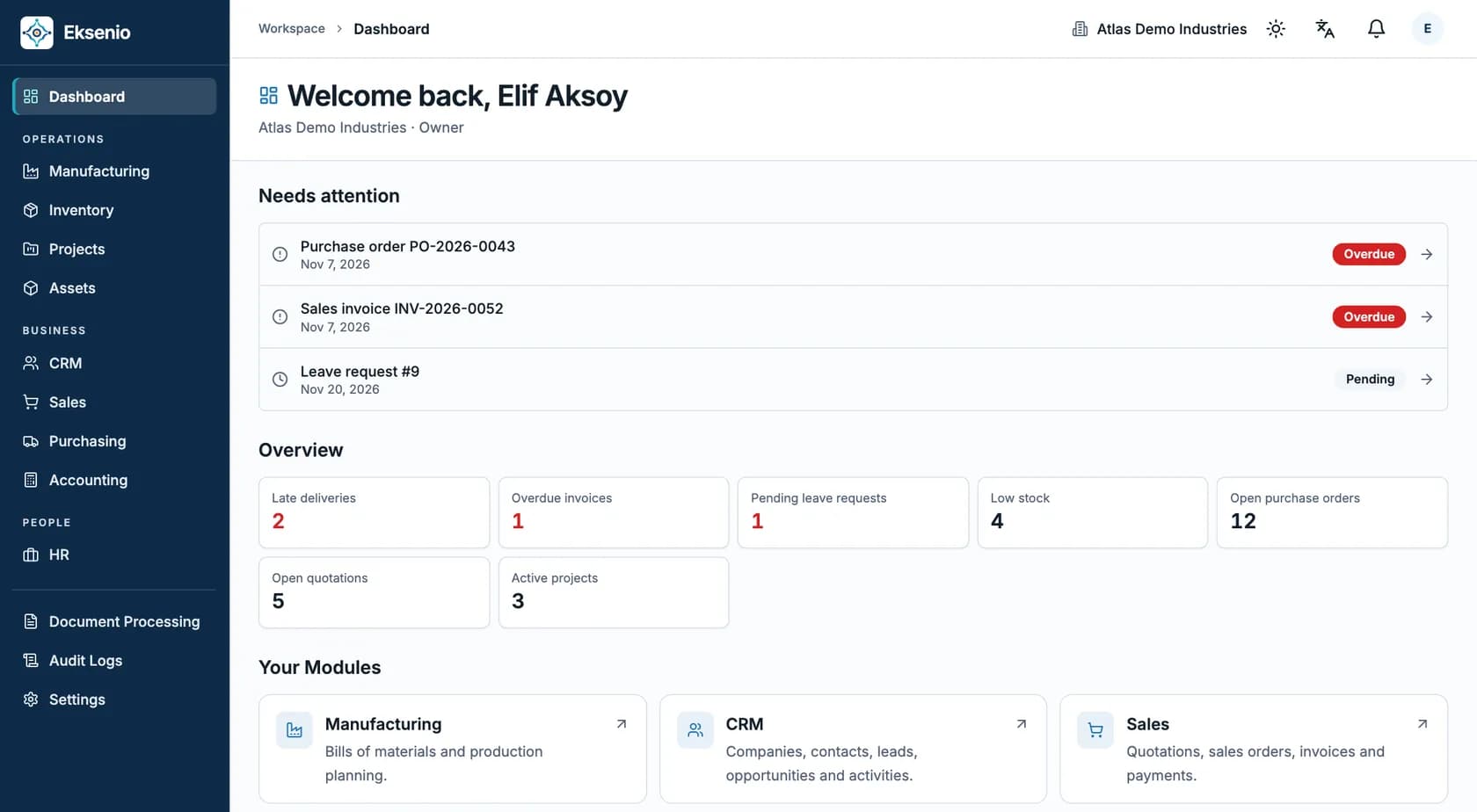
Follow a CRM deal into a quote and an order. The warehouse ships reserved stock, and finance can trace invoice lines back to the order.
Step 01 / 06
The customer, contacts, deal value, stage, probability and expected close date live in one record. Activities and follow-up dates are linked to the deal.
Carried to the next step
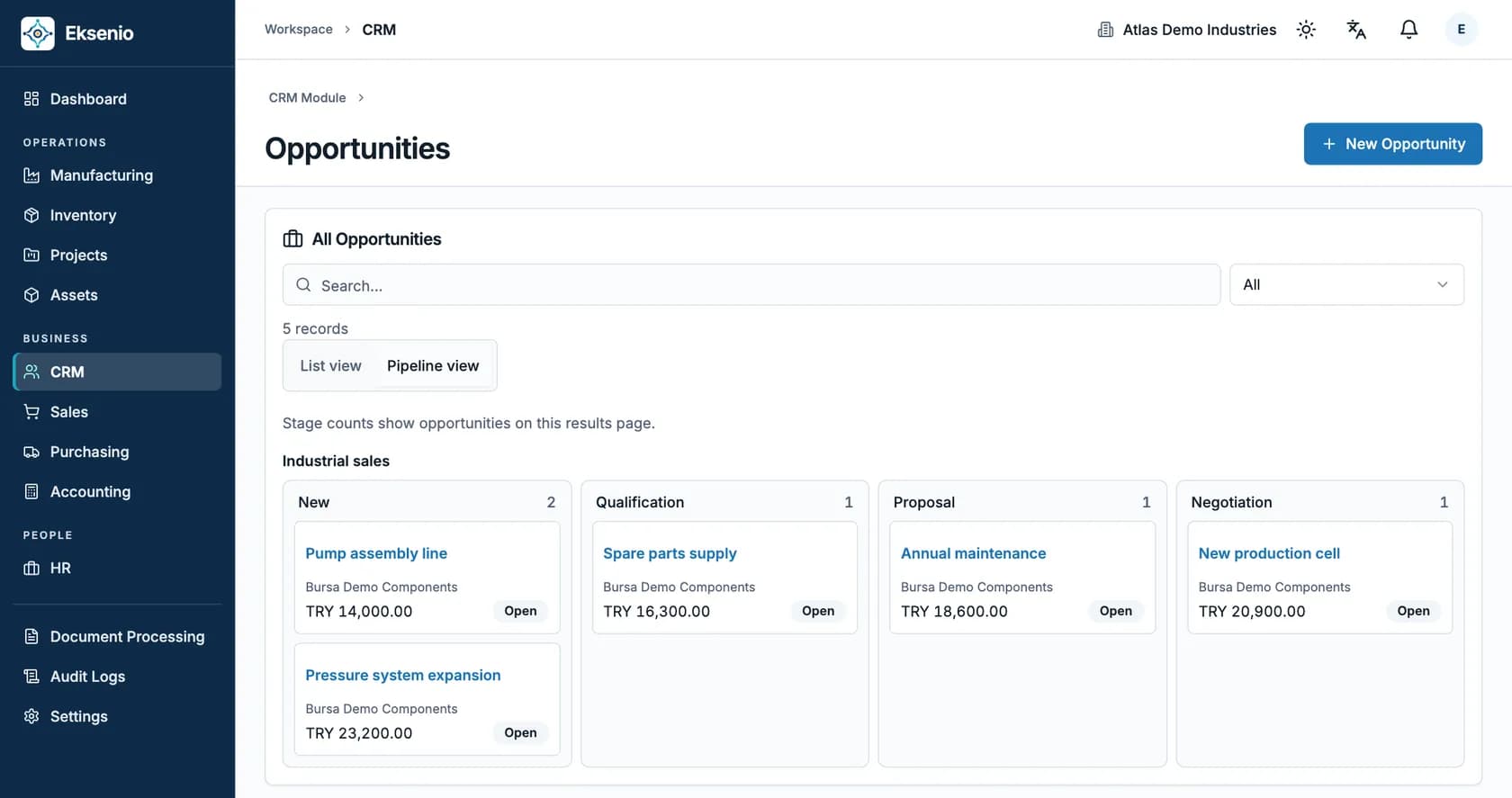
Screens are taken from the real Eksenio interface with a synthetic demo company. Accounting integration is enabled per company; from its start date, sales invoices and customer payments are posted to the journal.
For products you make, supplier receipts replenish material stock. Production reserves and consumes it, and finished quantities become available for sales orders.
02ERP modules
Choose a module to see its work in the real interface. Your teams use the same customer, product, and warehouse records.
Guided demonstration · Controlled activation
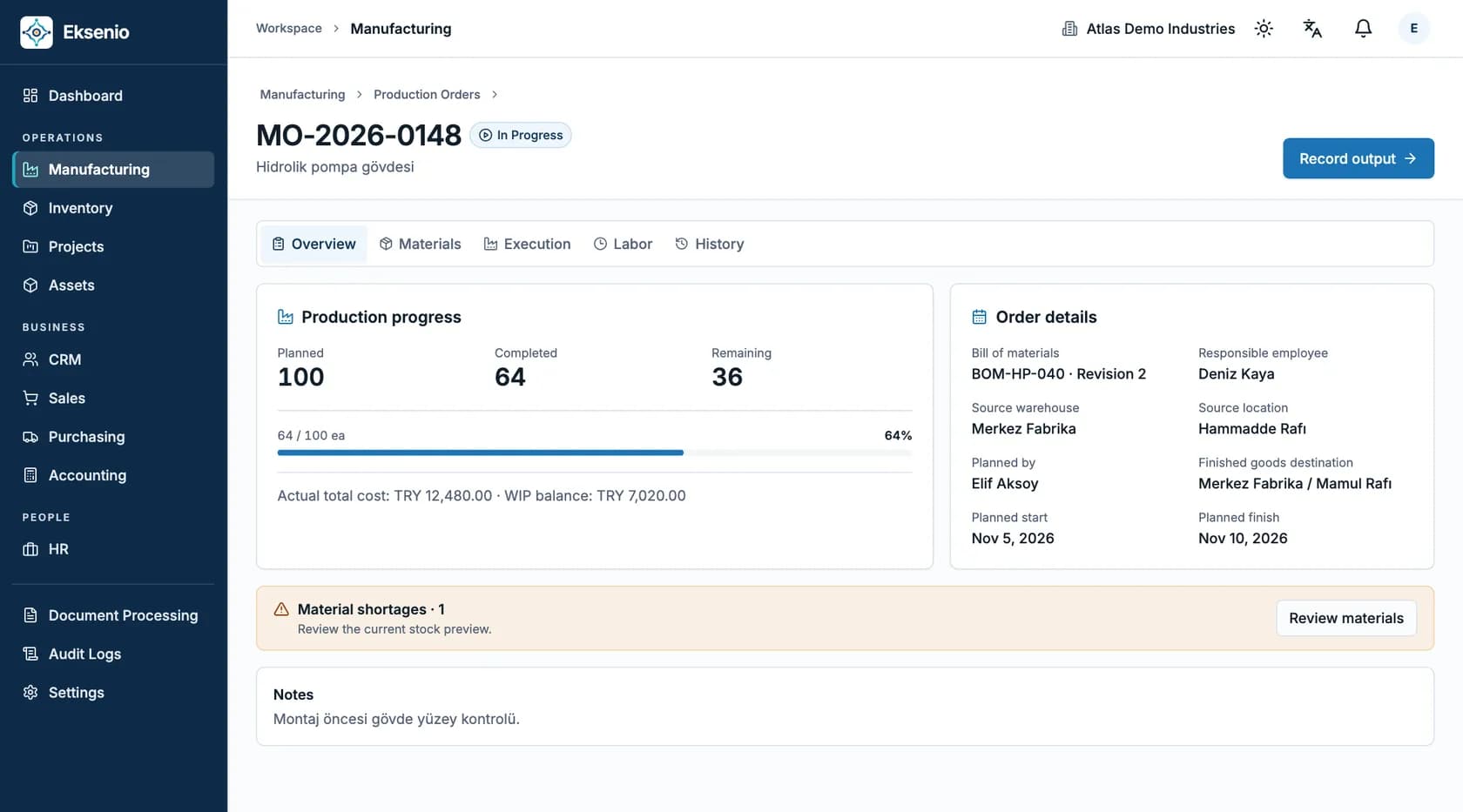
Plan what to make, see which materials are ready, and trace each completion back to the production order.
Supplier receipts add stock for production. Finished goods can be reserved and shipped through Sales. Purchasing, Inventory, Sales and Accounting share the linked records.
Manufacturing is available for a guided demonstration and controlled company activation. Approved working time is not included in product cost.
03Trust
Access is set by role, module and company boundaries. Changes are tracked in audit logs.
Every user sees the modules their role opens. A sales role does not see accounting; a warehouse role does not see sales invoices.
Define roles that can view records but cannot create, edit or delete them.
Each company's data is separated at database level; a user of one company cannot reach another company's records.
Record and permission changes are tracked in audit logs with the user and the time.
04Pricing
One company base subscription includes the first Full User. Add Full, Operations and Viewer/Approver licenses independently; prices exclude 20% VAT.
Includes 1 Full User
Sales to accounting, on one record.
Includes 1 Full User
Your whole operation, in one system.
A tailored scope for multiple companies and specific integration needs.
05FAQ
Small and mid-sized businesses and growing teams that want to run sales, purchasing, inventory and finance in one system.
The data that can be migrated is assessed during the needs analysis. After reviewing the data structure and scope, we prepare a controlled migration plan.
Eksenio Assistant has no public hosted access. Any controlled pilot requires separate activation; buying a plan does not switch it on.
No. The assistant is read-only: it never creates, changes, deletes or approves records.
In the demo, we walk through Eksenio on the real product, using your sales, purchasing, inventory and finance processes.